Two critical vulnerabilities in PHP, disclosed and patched on 21 October 2026 and now known as PHP2Shell, allow an attacker to run commands on a web server without logging in. The UK's National Cyber Security Centre says organisations using any version of PHP are affected and should update immediately or, if they cannot, consider taking systems offline.
For businesses on a supported PHP 8 release, the answer is a patch this week. For the many businesses still running PHP 7.4, 8.0 or 8.1, or an application nobody dares to touch, there is no supported fix, and this advisory is the clearest case yet for migrating legacy PHP to a modern stack and hardening it properly.
This post sets out what happened, what to do in the next 48 hours, what businesses on legacy PHP tell us, the two migration paths, the hardening that should come with them, and how our legacy code migration team handles it.
What happened: PHP2Shell in brief
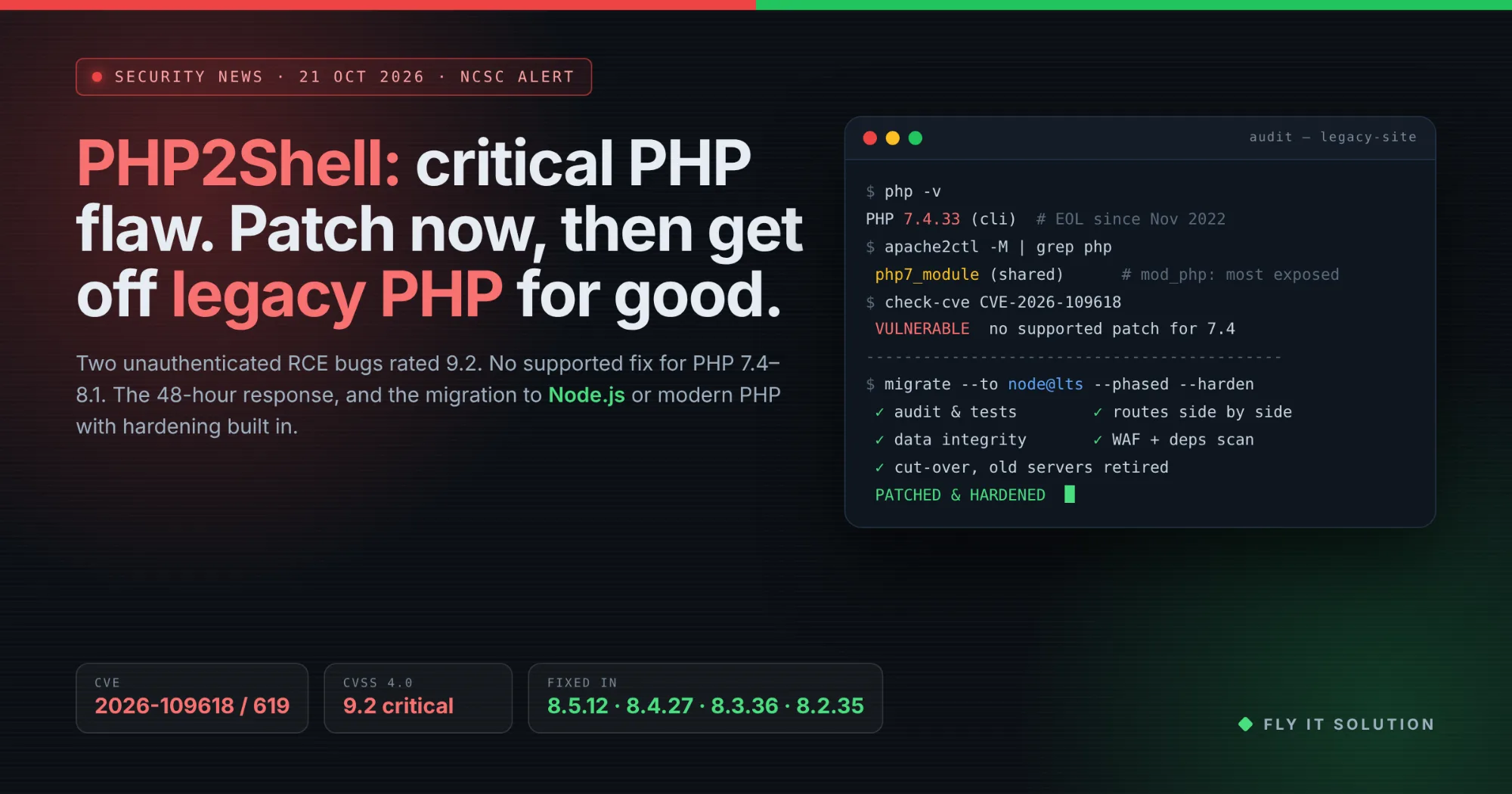
PHP released fixes for CVE-2026-109618 and CVE-2026-109619 on 21 October 2026. Both are unauthenticated remote code execution flaws, both are rated 9.2 on CVSS 4.0, and together they have been named PHP2Shell.
The first bug lets an attacker trigger an out-of-memory condition while a request is only partly set up, so PHP's cleanup treats invalid data as valid. The second lets request state survive after its memory is freed, so a later request on the same worker can reuse it. The PHP project's advisories for CVE-2026-109618 and CVE-2026-109619 carry the technical detail.
Every PHP installation that serves web requests is affected, including PHP-FPM, php-cgi and Apache with mod_php, which security researchers describe as the most exposed setup. According to Snyk's analysis, a demonstrated exploit needs a single unauthenticated request and runs before any application code. Sansec puts the affected range at PHP 5.4 and later. As of 22 October, neither reports confirmed attacks in the wild.
The fixed releases are PHP 8.5.12, 8.4.27, 8.3.36 and 8.2.35. PHP 7.4, 8.0 and 8.1 are end of life; they received only a minimal source backport, not a supported release, and will not receive the next fix.
The NCSC's notice, published on 21 October, tells organisations to identify every PHP installation starting with internet-facing systems, update to the latest version, apply the PHP Foundation's temporary mitigations where an update is not yet possible, take systems offline if neither can be done quickly, check exposed systems for compromise, and watch for updates to products that bundle PHP.
What to do in the next 48 hours
If you run PHP anywhere a browser can reach it, these six steps, in this order, are the response. They follow the NCSC's guidance.
1. Find every PHP installation. List every server, container, appliance and hosted service that runs PHP, starting with anything reachable from the internet. Include products that bundle PHP, such as control panels and some network appliances.
2. Update to a fixed version. Upgrade to PHP 8.5.12, 8.4.27, 8.3.36 or 8.2.35, or apply your Linux distribution's patched build, which may keep an older version number. Restart every PHP worker after updating.
3. Apply temporary mitigations where you cannot update yet. Use the PHP Foundation's temporary mitigations, such as a low post_max_size and disabling session upload progress, and restart workers. PHP states there are no complete mitigations; updating is the only safe fix.
4. Take systems offline if neither is possible quickly. The NCSC advises taking a system offline if it cannot be updated or mitigated in a reasonable time, rather than leaving an unauthenticated remote code execution flaw exposed.
5. Check for compromise. Review internet-facing PHP systems for signs of compromise and backdoors, especially any that stayed exposed after 21 October 2026, and engage an incident response provider if anything is found.
6. Decide what happens to end-of-life PHP. If you are on PHP 7.4, 8.0 or 8.1, you have only a minimal source backport and no future updates. Plan either an upgrade to a supported PHP 8 release or a migration to a modern stack such as Node.js.
PHP's own guidance is blunt: there are no complete mitigations, and updating is the only safe choice. The mitigations buy hours, not weeks.
What businesses on legacy PHP tell us
Step 2 is where many businesses get stuck. Six statements come up in almost every call about an old PHP site, and each point to the same conclusion.
“Our site runs on PHP 7.4, and the host says there is no patch.”
PHP 7.4 reached end of life in November 2022. The host is right: there is no supported fix, only source backports meant for teams that compile PHP themselves.
What it tells us: the site has been exposed to every PHP vulnerability since 2022, and PHP2Shell is only the loudest. Upgrading the runtime is the fix, and the code must be able to run on it.
“We tried upgrading PHP once and the site broke.”
Old frameworks removed functions and extensions that no longer exist all fail on PHP 8. The upgrade was rolled back and never attempted again.
What it tells us: the application needs migration, not just a runtime change. That means an audit, tests around the business rules, and either a rebuild on a supported PHP framework or a move to a new stack.
“The developer who built it left years ago.”
Nobody on the team can safely change the code, so every security advisory becomes a judgement call about risk rather than a task.
What it tells us: whatever the new stack is, it must be one your current or future developers can work on. That is often the deciding factor between upgrading PHP and moving to Node.js.
“We don't actually know how many PHP sites we have.”
A marketing site here, an old customer portal there, a control panel that bundles PHP, a plugin running on a forgotten subdomain.
What it tells us: the first step is an inventory, which is also the NCSC's first step. Migration planning starts from the same list.
“It's on Apache with mod_php because that's how it was set up in 2014.”
The most exposed configuration for PHP2Shell is also the most common one on old servers.
What it tells us: the hosting is as legacy as the code. A migration is the moment to move to a supported runtime, containers or a managed platform, with automatic security updates.
“We'll patch this one and deal with the rest later.”
This is the honest position of most small and mid-size businesses, and it works until an advisory arrives that cannot be patched.
What it tells us: patching is the right call this week. Planning the migration is the right call this quarter, so the next critical advisory is a routine update.
Patch or migrate? Two paths off legacy PHP
Patch if you are on PHP 8.2 or later and your application runs on the fixed release. Migrate if you are on an end-of-life version, if the code breaks on modern PHP, or if nobody can maintain it. Migration has two paths, and we build on both.
Path one: upgrade to a supported PHP 8 release on Laravel. This keeps your database and most of your business logic, and it is the faster path when the existing code is sound. We rebuilt an outdated Zend application on Laravel and PHP 8 in two months, keeping the original database, for a packer and movers company; it is described on our legacy code migration services page and the system now runs their custom CRM software development work.
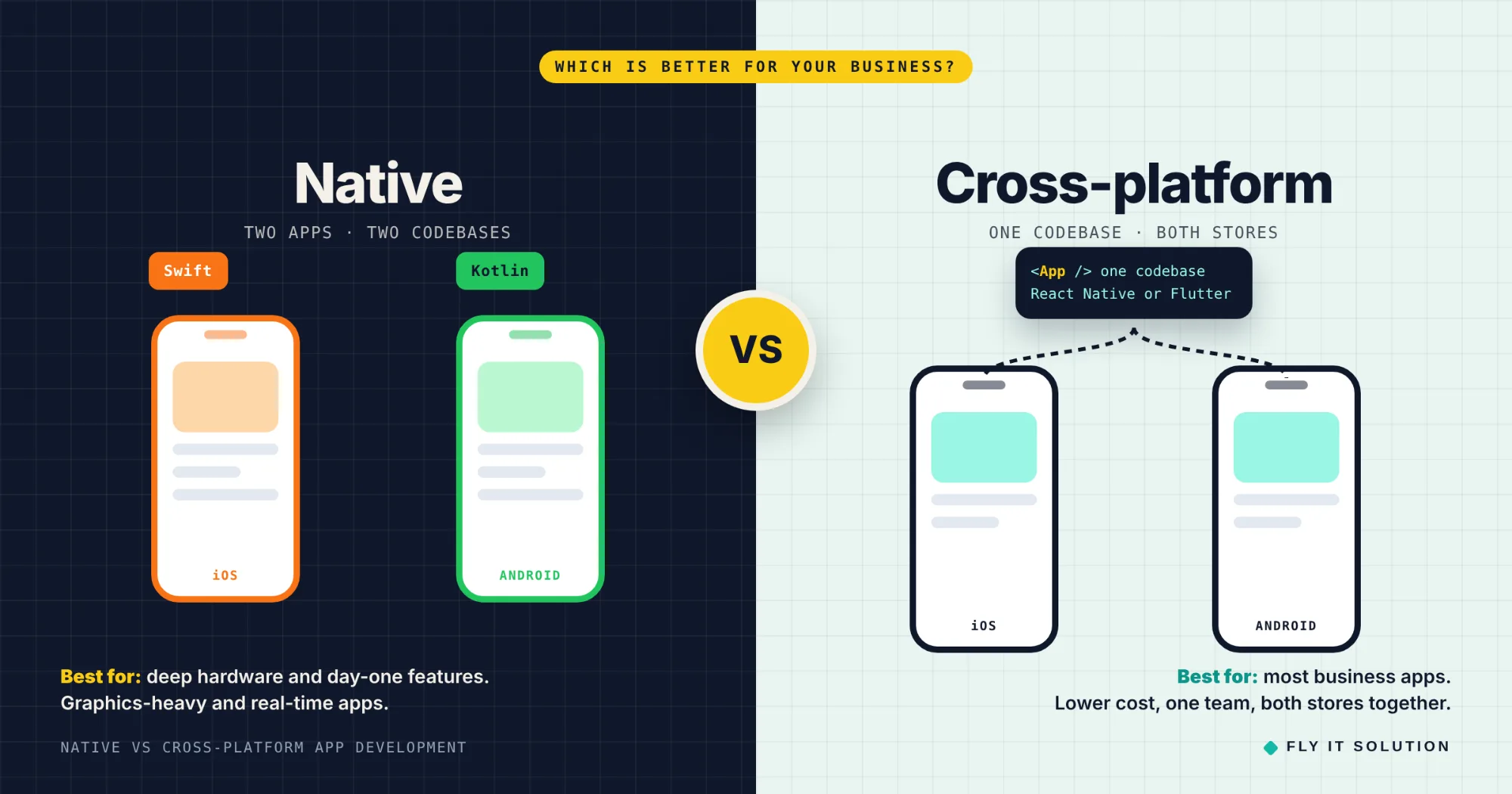
Path two: migrate from PHP to Node.js. This is the better path when your team already works in JavaScript or TypeScript, when the application needs real-time features, web sockets or heavy API traffic, or when the PHP code is so old that a rewrite is cheaper than an upgrade. One language across the front end and back end also simplifies hiring.
We build Node.js platforms as standard, including an operations platform built on Node.js, React and PostgreSQL for a medical device distributor and an e-learning platform on Node.js, React and MongoDB. Those were new builds rather than PHP migrations, but they are the stack a migrated application lands on.
If you are unsure which path fits, our guide on whether to migrate or rebuild legacy code walks through the decision.
How a legacy PHP to Node.js migration runs
A migration runs in phases, with the old site live until the new one has proved itself. These are the six phases we use.
1. Discovery and code audit. Inventory every site and dependency, map the routes, database and integrations, and find the business rules buried in the code.
2. Strategy and roadmap. Decide upgrade or Node.js, set the order of modules, and write the rollback plan before anything is built.
3. Proof of concept. Build the riskiest piece first, usually authentication, payments or the largest integration, and prove it on the new stack.
4. Incremental migration. Rebuild route by route behind the same URLs, with old and new running side by side and traffic moved gradually.
5. Testing and data validation. Tests around every business rule, data migrated with integrity checks, and a comparison of old and new outputs.
6. Cut-over, hardening and handover. Switch traffic, retire the old servers, apply the hardening below, and hand over documentation and knowledge.
Small sites take weeks. Large systems take several months, and the first modules live long before the end.
Security hardening that should come with the migration
Moving to a new stack removes today's vulnerability; hardening is what stops the next one becoming an emergency. These are the measures we apply as part of a migration.
Supported runtime with automatic security updates. A current Node.js LTS or PHP 8 release, on a platform that patches the operating system for you.
Dependency scanning in the build. Every build checks packages against known vulnerabilities, so a bad dependency fails the deploy rather than reaching production.
Secrets out of the code. API keys, database passwords and tokens in a secrets manager, never in the repository or a config file on the server.
A web application firewall and rate limiting. A WAF in front of the application, and rate limits on login, search and any public endpoint.
Least privilege. Database accounts that can only do what the application needs, and no shared admin logins.
Security headers and TLS. Content security policy, HSTS and the standard headers, with TLS configured and renewed automatically.
Logging, alerting and backups. Centralized logs, alerts on failed logins and unusual traffic, and tested restores, not just backups.
A written patch process. Who checks advisories, how fast a fix ships, and who signs off, so the next PHP2Shell is a ticket, not a crisis.
How Fly IT Solution can help
We migrate legacy PHP applications to supported PHP 8 with Laravel or to Node.js, and we harden what we deliver. Our legacy code migration service begins with a free migration assessment: an inventory of your PHP footprint, the exposure to PHP2Shell and earlier advisories, and a phased plan with costs.
Projects start within 48 hours of agreement, run incrementally with the old system live, and end with documentation and knowledge transfer so your own team can maintain the result. Where the application is a product you sell, the migration can become a wider SaaS software development plan; where you need capacity rather than a project, you can hire dedicated developers in Node.js or Laravel to work with your team.
If your site is on PHP 7.4, 8.0 or 8.1 today, patch what you can this week, then request a free migration assessment. The inventory you make for the NCSC's step one is the only thing you need to bring.
Frequently asked questions
What is PHP2Shell?
PHP2Shell is the name given to two PHP vulnerabilities, CVE-2026-109618 and CVE-2026-109619, disclosed and fixed on 21 October 2026. Both allow unauthenticated remote code execution, meaning an attacker can run commands on a web server running PHP without logging in, and both carry a CVSS 4.0 score of 9.2. The UK's National Cyber Security Centre issued a notice the same day telling organisations to update or, failing that, take affected systems offline.
Which PHP versions are affected, and which are fixed?
Every PHP installation that serves web requests is affected, with Apache and mod_php the most exposed configuration. The fixed releases are PHP 8.5.12, 8.4.27, 8.3.36 and 8.2.35. PHP 7.4, 8.0 and 8.1 are end of life and received only a minimal source backport, not a supported release, so sites on those versions have no ongoing fix.
Is patching enough, or do I need to migrate off PHP?
Patching is enough for this vulnerability if you are on a supported PHP 8 branch and can update. Migration is the answer when you cannot patch when the site runs on an end-of-life version, when the code breaks on newer PHP, or when nobody on your team can safely change it. In those cases, the next vulnerability will find you in the same position, and moving to a supported PHP 8 release with Laravel or to Node.js removes the problem rather than deferring it.
How do you migrate a legacy PHP website to Node.js?
In phases, with the old site running until the new one has proved itself. We audit the code and database first, write tests around the business rules that must survive, build the new Node.js services route by route behind the same URLs, migrate data with integrity checks, run old and new side by side, then cut over with a rollback plan. Small sites take weeks; large systems take several months.
Should I migrate to Node.js or just upgrade to modern PHP?
Upgrade to a supported PHP 8 release, usually on Laravel, when the existing code is sound and your team knows PHP; it is faster and keeps the database and most logic. Move to Node.js when your team already works in JavaScript or TypeScript, when the application needs real-time features or heavy API traffic, or when the PHP code is so old that a rewrite is cheaper than an upgrade. We build both and recommend per project.
What does security hardening include after migration?
A supported runtime with automatic security updates, dependency scanning in the build pipeline, secrets kept out of the code, a web application firewall in front of the application, least-privilege database accounts, security headers, rate limiting on public endpoints, logging and alerting, and a documented patch process so the next advisory is a routine update rather than an emergency.
How does Fly IT Solution help with a PHP migration?
We start with a free migration assessment and code audit, then a roadmap with a proof of concept for the risky parts, incremental migration with the old and new systems side by side, testing with data-integrity checks, and deployment with support and knowledge transfer. Projects start within 48 hours of agreement. We have rebuilt an outdated Zend application on Laravel and PHP 8 in two months while keeping its database, and we build Node.js platforms with React and PostgreSQL or MongoDB.